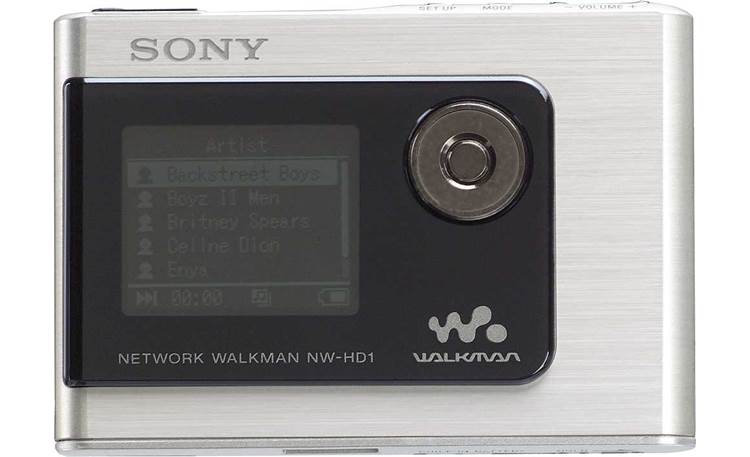
Sony NW-HD1: Formats, Software and Music Transfers
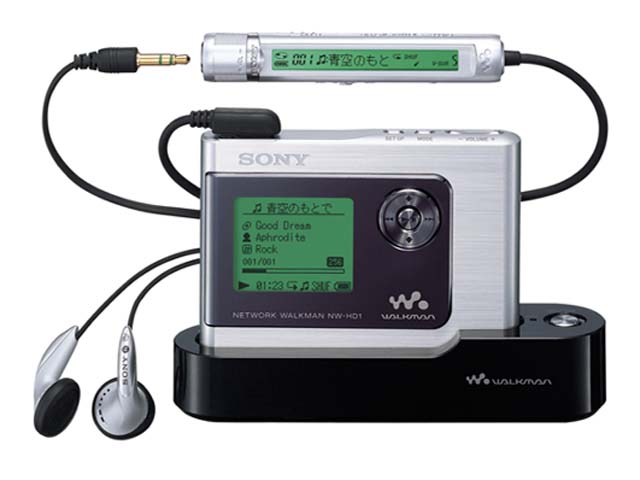
The NW-HD1 is a 20 GB Network Walkman built around Sony’s ATRAC3 and ATRAC3plus audio workflow. Sony’s original software converted MP3, WMA and WAV source files to supported ATRAC formats; the manual’s Explorer route is for non-audio data. Copying an MP3 into the disk like an ordinary document does not make it playable music. (NW-HD1 Operating Instructions, pp. 14–15, 33–34; Sony NW-HD1 specifications)
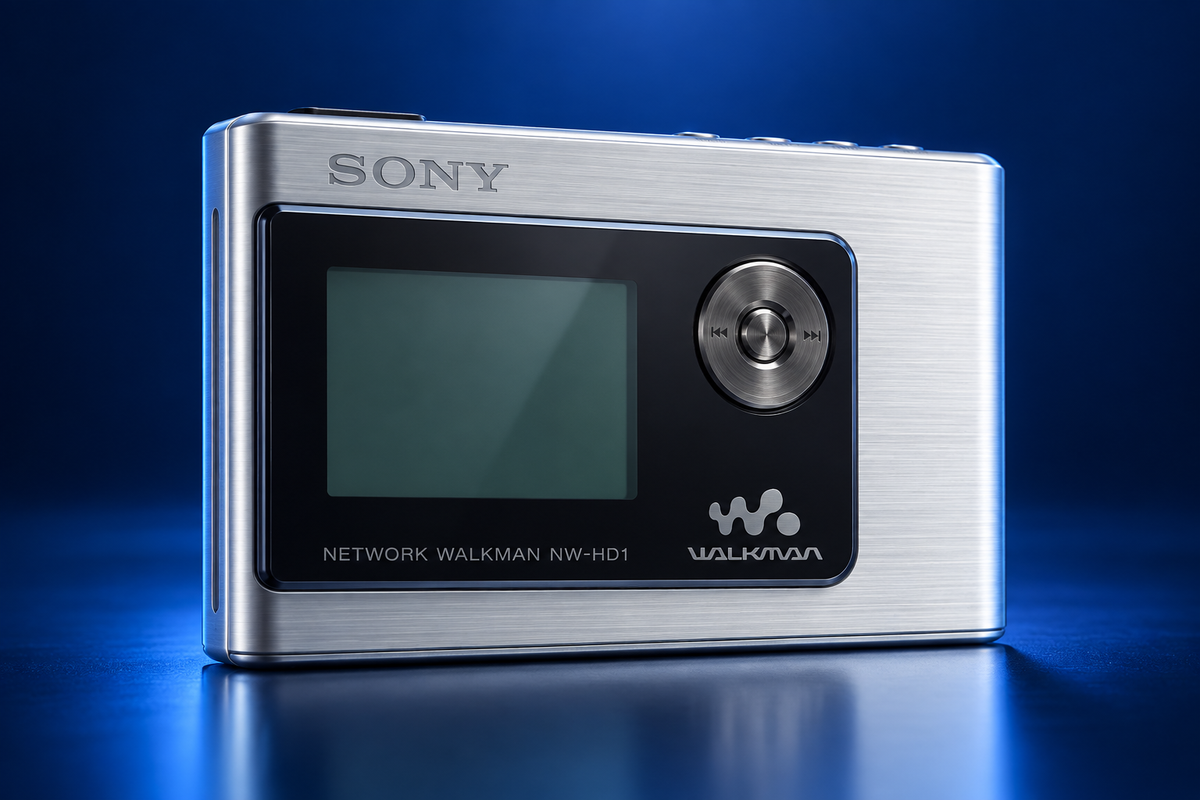
AI-generated visual reconstruction of the Sony NW-HD1, based on two period and product-reference images; small markings are approximate. AI-generated illustration.
Supported audio modes
Sony lists ATRAC3 bitrates of 66, 105 and 132 kbps, and ATRAC3plus at 48, 64 and 256 kbps. These are the player’s documented encoded audio options; Sony’s listed MP3/WMA/WAV formats describe conversion inputs, not native playback compatibility. The 2004 reviewer also reported that MP3 was not natively played at review time and described firmware-upgrade claims as rumors, not a verified update. (Sony specifications; The Register review)
Transfer music through SonicStage
Sony’s original workflow uses the bundled SonicStage software and USB charging cradle, with the AC adaptor connected. The manual requires software installation before the PC connection and directs users to transfer audio from My Library in SonicStage. (NW-HD1 Operating Instructions, pp. 10–15)
- Install SonicStage from the supplied CD-ROM before connecting the player. The printed system requirements apply to the 2004 software environment.
- Connect the USB cradle to the computer and its AC adaptor, as shown in the manual.
- Place the NW-HD1 in the cradle and start SonicStage.
- Import or select supported source audio in My Library. Let SonicStage convert it to a supported ATRAC mode and transfer it to the player.
- Wait for the transfer to complete before removing the player from the cradle.
A contemporary review also reports that its cradle needed AC power for PC connection and that the player did not charge over USB. Treat that as the reviewer’s period setup; it is not a current test of your cradle, adapter or battery. (The Register review)
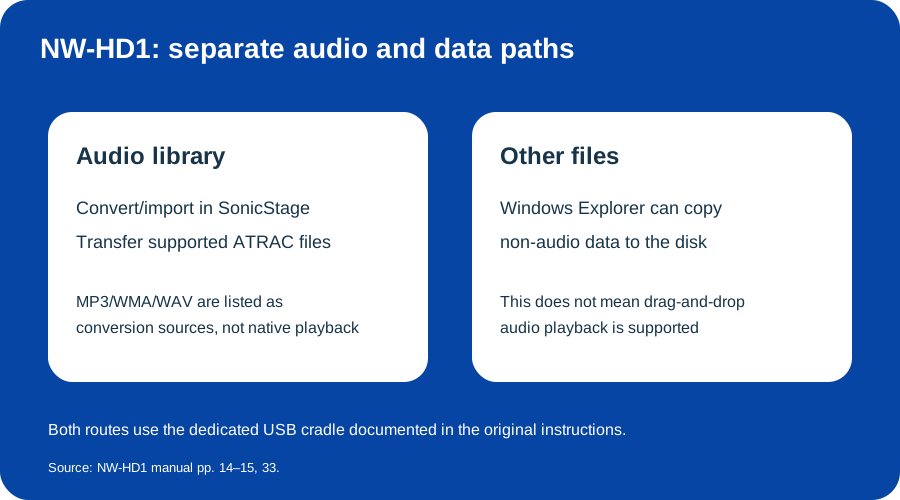
Audio uses SonicStage; Explorer storage applies only to non-audio files. Original explanatory diagram based on the NW-HD1 manual.
Store non-audio files separately
The manual documents Windows Explorer for storing non-audio data on the internal disk, separately from SonicStage audio management. Use that route for non-audio files only. Sony’s manual archive shows English instructions released in 2004; its listing does not establish current software availability. (NW-HD1 Operating Instructions, pp. 14–15, 33; Sony manuals and downloads)
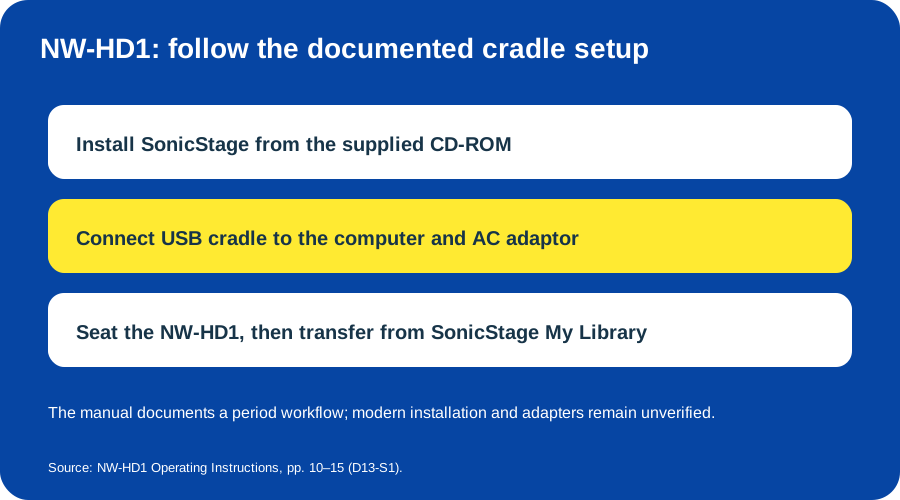
Follow the manual’s software-first, AC-powered cradle sequence. Original explanatory diagram based on Sony’s operating instructions.
Modern Windows/macOS compatibility, installer availability, USB charging with current power sources and the condition of an individual hard drive or battery remain unverified. No current computer was tested.
Sources & image credits
Sources
- D13-S1 NW-HD1 Operating Instructions — Sony’s 2004 US-English manual, pp. 8–16, 31–34 and 44.
- D13-S2 NW-HD1 Specifications — official format conversion, playback modes, cradle and accessory details.
- D13-S3 Sony Network Walkman NW-HD1: Beauty merely skin deep? — 2004 review of cradle power, ATRAC conversion and unconfirmed firmware rumor.
- D13-S4 NW-HD1 Manuals and Downloads — official archive listing dates for the English Operating Instructions and Startup Guide.
Image credits
- D13-I-HERO — AI-generated NW-HD1 reconstruction. AI-generated illustration created because a photograph with verified publication rights was not available. Details may differ from the original device. Private visual references, not publication assets: PC Watch contemporary NW-HD1 image; Crutchfield NW-HD1 image. The generated image is a new illustration, not a documentary photograph; small markings are approximate.
- D13-I-AUDIO-DATA — Audio and non-audio file routes. Original explanatory vector diagram by Things To Do Your Thing; evidence: NW-HD1 Operating Instructions, pp. 14–15 and 33.
- D13-I-CRADLE-SETUP — Software-first USB cradle setup. Original explanatory vector diagram by Things To Do Your Thing; evidence: NW-HD1 Operating Instructions, pp. 10–15.