
Canon PowerShot A70: Memory Cards and Photo Transfers
The PowerShot A70 is Canon’s 2003 compact camera, with a 3.2-megapixel headline specification and 3× optical zoom. Digital Photography Review lists 3.1 effective megapixels; that is a more precise figure, not evidence that the camera or card is a different model. The A70 takes four AA-size batteries. (Canon Camera Museum; DPReview specifications)
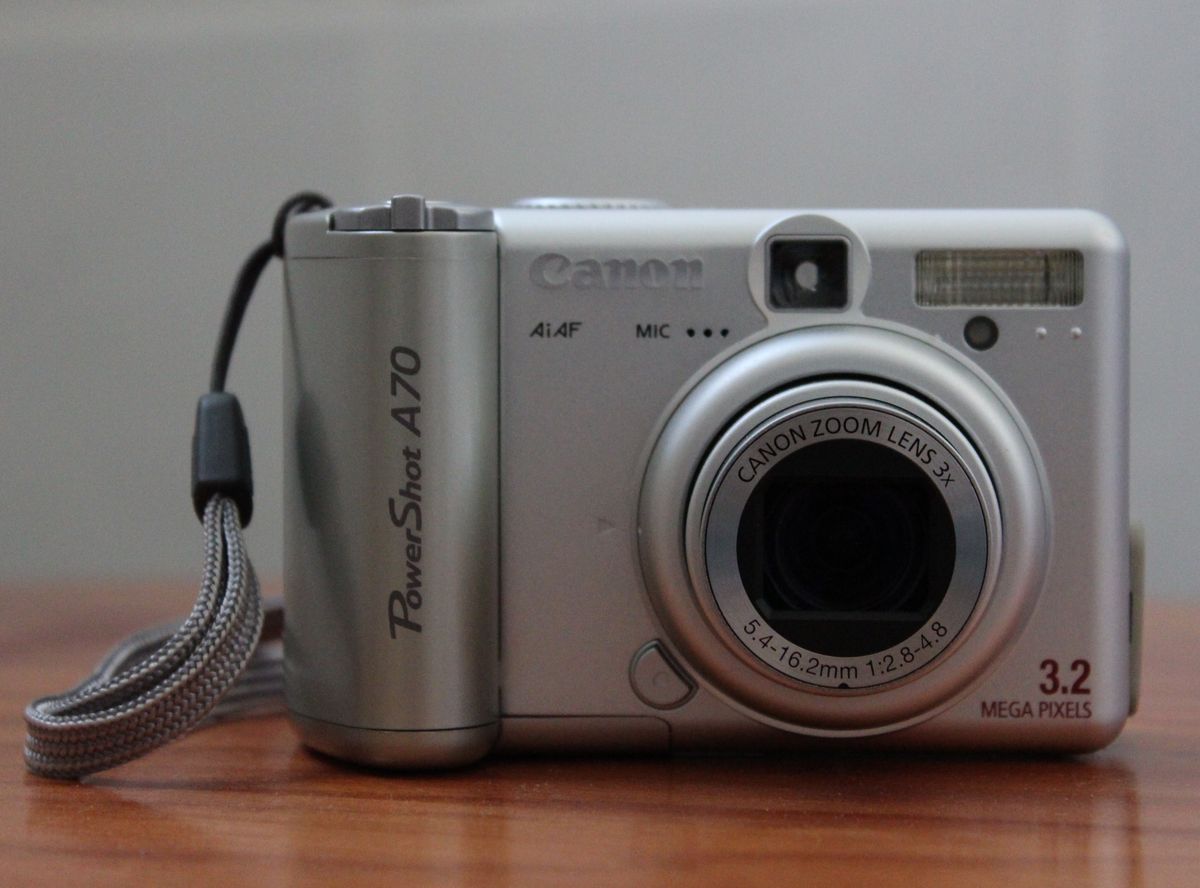
Canon PowerShot A70, front view. Photo by HelenOnline, “Canon PowerShot A70 (front).JPG,” Wikimedia Commons, CC BY-SA 3.0.
Choosing a memory card
The evidence reviewed here does not establish a maximum CompactFlash capacity for the A70. Do not buy a high-capacity card on the assumption that all cards of a shared family name work in a 2003 camera. Check the exact A70 documentation and the card’s physical type/capacity; preserve the card’s existing files before formatting. No exact upper capacity or present-day reader compatibility is verified in this guide. (Canon PowerShot A70 Camera User Guide, cover; Canon Camera Museum)
Canon’s Camera User Guide identifies edition CDI-E093-010 and points users to a separate Software Starter Guide for software installation and image downloading. The standalone quick-start sheet provides the actual sequence below. (Canon PowerShot A70 manual; Canon Quick Start Manual)
Download pictures over USB
Canon’s A70 quick-start guide specifies this software-first process. It describes period Windows and Mac applications; the steps do not establish that those installers work on a current computer.
- Install the bundled Digital Camera Solution Disk software before connecting the camera.
- Restart the computer as directed by the guide.
- With the camera powered as specified in its manual, connect it to the computer using the supplied USB cable.
- Open the Canon image-transfer program installed for that computer—ZoomBrowser EX on the documented Windows route or ImageBrowser on the documented Mac route—and use its download command.
- Wait for the import to finish, open a few copied images from the destination folder, and keep the originals on the card until you have a separate backup.
The quick-start guide warns not to connect the camera before software installation. Its period operating-system routes include older Windows and Mac OS releases, not current support. The A70’s USB listing is historical interface information only; no present-day Windows/macOS connection test is documented. (Canon Quick Start Manual; DPReview specifications)
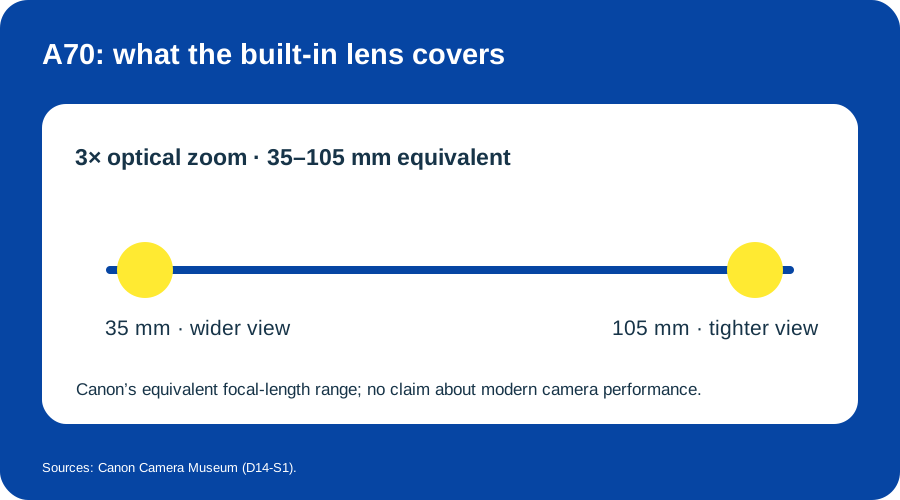
The A70’s 3× optical zoom spans 35–105 mm equivalent. Original diagram based on Canon Camera Museum specifications.
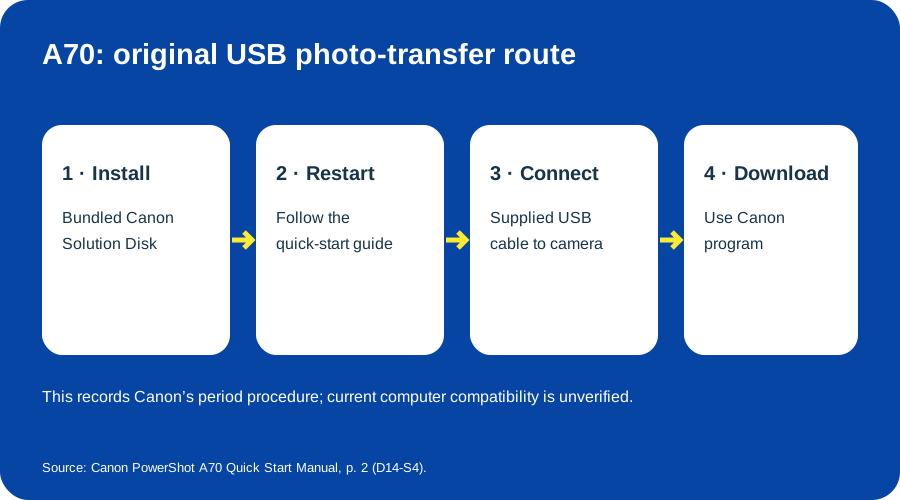
Canon documented a software-first path: install, restart, connect, then download. Original diagram based on Canon’s A70 Quick Start Manual.
Sources & image credits
Sources
- D14-S1 PowerShot A70 — Canon Camera Museum outline/specifications: March 2003, 3.2-megapixel model, 3× optical zoom and four AA-size batteries.
- D14-S2 Canon PowerShot A70 Camera User Guide — Cover identifies English edition CDI-E093-010, ©2003, and points to a separate Software Starter Guide; only the cover was inspected.
- D14-S3 Canon PowerShot A70 product details — DPReview Quick Specs: effective megapixels, display, USB listing, weight and batteries; not a present-day compatibility test.
- D14-S4 PowerShot A70 Quick Start Manual: Downloading Images to a Computer — p. 2, required items and steps 1–6.
Image credits
- D14-I-HERO — Canon PowerShot A70, front view. Photo by HelenOnline, “Canon PowerShot A70 (front).JPG” on Wikimedia Commons, CC BY-SA 3.0. No changes.
- D14-I-LENS-RANGE — The A70’s 3× optical zoom spans 35–105 mm equivalent. Original SVG by Things To Do Your Thing; evidence: Canon Camera Museum.
- D14-I-USB-TRANSFER — Canon’s software-first USB download sequence. Original SVG by Things To Do Your Thing; evidence: Canon PowerShot A70 Quick Start Manual, p. 2.
.JPG)